
Golf Simulator Packages bring together the equipment, software, and supporting components needed to create an indoor golf experience. Depending on the project, a package may include a launch monitor, hitting area, impact screen, projector, simulator software, and automatic ball handling equipment. For commercial venues, the right solution should also consider available space, player capacity, installation requirements, and daily operation.
Whether you are planning a golf entertainment center, upgrading a golf club, or adding an indoor attraction to a hotel or sports bar, choosing a complete solution can make project planning easier. Instead of sourcing every component separately, you can work with a supplier to configure a system around your venue and business goals.
A complete golf simulator solution typically combines:
- Golf launch monitoring and tracking technology
- Impact screen and hitting area
- Projector and display system
- Golf simulator software and game content
- Supporting equipment, such as ball return and automatic ball lifting
- Optional installation, customization, and technical support
The exact configuration depends on the venue, budget, available space, and intended use.

What Is Included in Golf Simulator Packages?
A golf simulator package is more than a collection of individual products. It is a coordinated system designed to let players hit real golf balls and receive feedback through a digital golf environment. Each component has a specific role, and all parts need to work together for a consistent playing experience.
1. Golf Launch Monitor
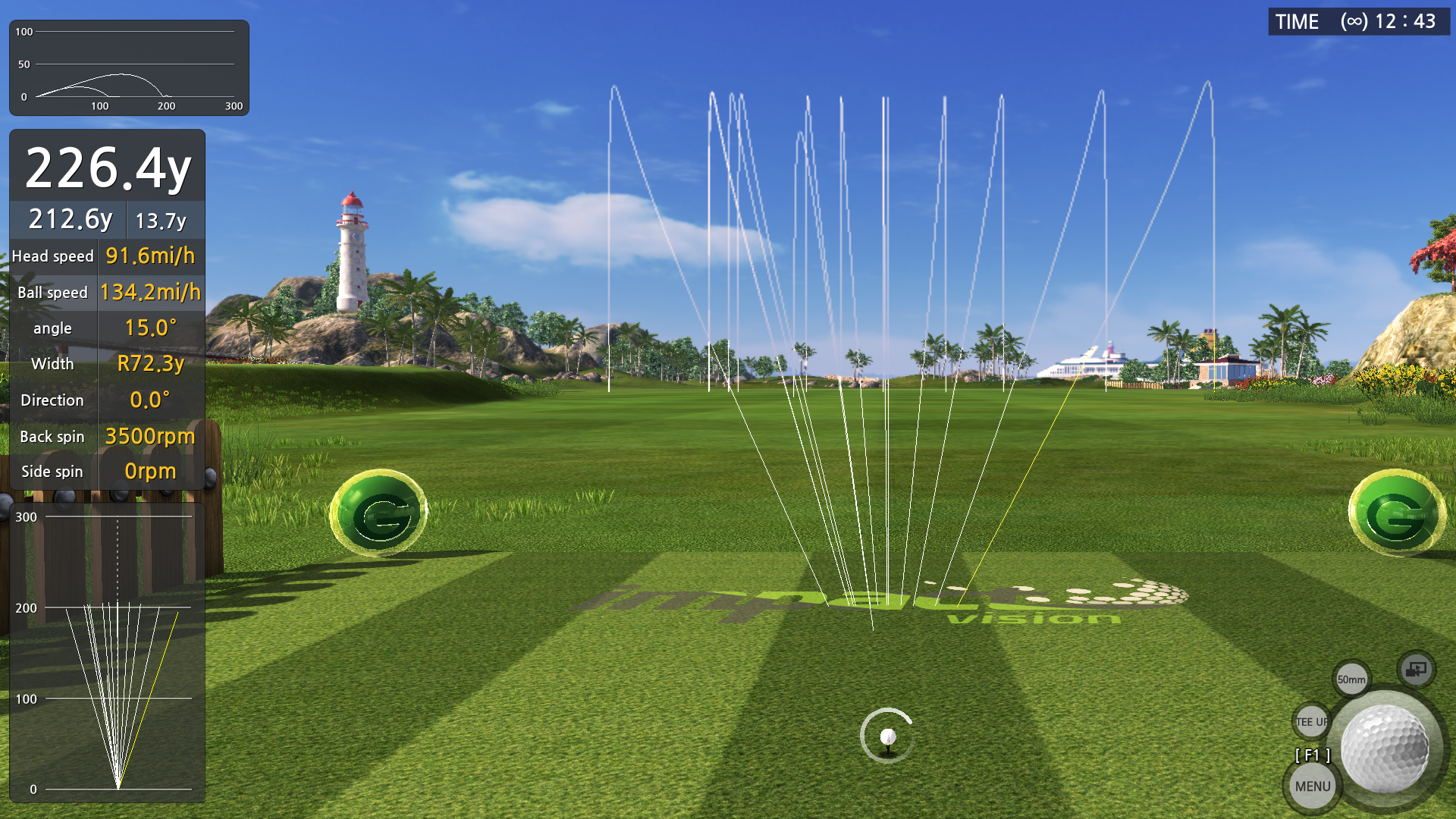
The launch monitor is a key part of a golf simulator system. It captures information about a player's shot and sends the data to the simulator software. Depending on the tracking technology, measurements may include ball speed, launch direction, launch angle, and other shot characteristics.
When comparing packages, check the tracking technology, measurement capabilities, installation requirements, and compatibility with the software. These details help determine whether the system is suitable for casual entertainment, golf practice, or more advanced analysis.
2. Impact Screen and Hitting Area
The impact screen provides the display surface for virtual courses, targets, and game content. It also receives golf balls during play, so its material and construction should be suitable for the expected usage.
The hitting area may include a golf mat and the surrounding structure. For commercial installations, durability, player comfort, and easy maintenance are important considerations because the equipment may be used by many visitors every day.
3. Projector and Display System
A projector displays the virtual golf environment on the impact screen. Image brightness, resolution, projection distance, and screen size all influence the viewing experience.
Venue lighting should also be considered. A bright environment may require a different projector configuration from a dedicated indoor golf room. The projector and screen should be selected together rather than treated as unrelated components.
4. Golf Simulator Software
Simulator software provides the digital experience behind the equipment. Depending on the selected system, it may include virtual golf courses, driving ranges, practice functions, target games, and other interactive activities.
For commercial operators, software variety can make the attraction more appealing to different customer groups. Some visitors may want a realistic round of golf, while others prefer shorter games that are easier to enjoy with friends or family.
5. Ball Handling and Supporting Equipment
Supporting equipment can make a significant difference to daily operation. Automatic ball lifting and ball return systems, for example, reduce the need for players or staff to collect and reposition balls manually.
For a busy commercial venue, this can help maintain a smoother playing rhythm and reduce routine handling work. When reviewing a package, confirm whether these functions are included as standard or offered as optional features.
How to Choose Golf Simulator Packages for Different Venues
There is no single configuration that works for every location. A golf club, entertainment center, and hotel have different customer expectations and operating conditions. The best package starts with the purpose of the installation.
Golf Clubs and Practice Facilities
Golf clubs and practice facilities may prioritize shot data, practice functions, and a comfortable hitting environment. Tracking accuracy, software compatibility, and equipment durability should be among the main evaluation criteria.
If the simulator will support regular practice sessions, consider how easily players can access the data and how the system fits into the facility's existing services.
Family Entertainment Centers and Arcades
Family entertainment centers often need activities that appeal to visitors with different ages and skill levels. Interactive games, easy-to-understand controls, and varied gameplay can help make indoor golf more approachable for casual players.
For these venues, the system should balance the golf experience with entertainment value. Automatic ball handling can also be useful when multiple visitors take turns throughout the day.
Hotels, Resorts, and Sports Bars
Hotels and resorts can use indoor golf as an additional guest activity, while sports bars may introduce it as a social attraction. In these environments, the overall presentation, available space, ease of operation, and guest experience matter as much as the technical specifications.
A well-planned package should fit the venue's interior design and operating model. Custom screen layouts, branding, and software options may also help the simulator match the atmosphere of the location.
How to Customize Golf Simulator Packages for Your Project
Customizing a golf simulator package does not simply mean adding more equipment. It means selecting the right combination of components for the available space, target customers, and expected usage.
Before requesting a proposal, prepare the following information:
- Venue dimensions: Provide the room width, depth, and ceiling height.
- Installation environment: Share photos, floor plans, and details about lighting and access.
- Intended application: Explain whether the system is for practice, entertainment, or mixed use.
- Expected users: Identify the main audience, such as club members, families, hotel guests, or general visitors.
- Project budget: Set a realistic budget for equipment, installation, and any additional customization.
With this information, a supplier can recommend a more suitable configuration instead of offering a generic equipment list. It also helps identify potential installation issues before the project begins.
Looking for a Golf Simulator Solution for Your Venue?
Chfuntek provides golf simulator equipment solutions for commercial and entertainment applications. From core simulator components to automatic ball lifting and ball return, configurations can be discussed according to your space and project requirements.
Explore Chfuntek Golf Simulator Solutions or contact our team to discuss your project.
What to Check Before Buying Golf Simulator Packages
Before making a purchase, compare more than the advertised equipment list. A package may look complete but still require additional components or services before it is ready for use.
- Component compatibility: Confirm that the launch monitor, software, projector, and display system work together.
- Space requirements: Check the recommended room dimensions and ceiling clearance for the selected configuration.
- Software and content: Understand which courses, games, and features are included.
- Ball handling: Ask whether automatic ball lifting and return are available.
- Installation scope: Clarify what is covered, including equipment setup, calibration, and operator guidance.
- Warranty and support: Confirm warranty coverage, technical assistance, and the availability of replacement parts.
- Future expansion: If you plan to add more hitting bays, check whether the solution can support your expansion plans.
It is also useful to request a detailed quotation that separates included components, optional upgrades, installation services, and shipping arrangements. This makes it easier to compare proposals from different suppliers on the same basis.
Why Consider Chfuntek for Your Golf Simulator Project?
Choosing a supplier is an important part of planning an indoor golf project. Beyond the equipment itself, buyers need clear communication about configuration, space planning, delivery, and technical support.
Chfuntek offers golf simulator solutions for venues looking to introduce or expand indoor golf entertainment. Its golf simulator equipment features automatic ball lifting and ball return, helping reduce manual ball handling during play.
Depending on the project, buyers can discuss equipment configuration, space requirements, and suitable options for their intended application. This approach helps match the solution to the venue instead of relying on a one-size-fits-all package.
Whether you are planning a single simulator area or a larger commercial project, sharing your floor plan and project goals is a practical first step toward getting a suitable proposal.
Frequently Asked Questions About Golf Simulator Packages
What does a complete golf simulator package include?
A complete package may include a launch monitor, impact screen, projector, hitting mat, simulator software, and supporting equipment. Some configurations also include automatic ball lifting and return. The exact contents depend on the supplier and project requirements.
Are golf simulator packages suitable for commercial venues?
Yes. Commercial golf simulator packages can be configured for golf clubs, FECs, arcades, hotels, resorts, and sports bars. Equipment durability, software options, ease of operation, and maintenance requirements should be considered when selecting a system.
Can golf simulator packages be customized?
Yes. Packages can be adjusted according to room dimensions, target users, intended applications, and budget. Customization may involve equipment selection, software options, display configuration, and venue-specific requirements.
Do golf simulator packages include installation?
Not always. Installation, calibration, and operator training may be included or quoted separately. Buyers should confirm the exact service scope before placing an order.
Why is automatic ball return useful in a commercial golf simulator?
Automatic ball return helps move balls back into the playing area after shots, reducing manual collection. When combined with automatic ball lifting, it can make sessions more convenient and reduce routine work for players and venue staff.
How do I choose the right golf simulator package?
Start with your available space, intended users, business model, and budget. Then compare tracking technology, software, screen and projector specifications, ball handling features, installation services, and warranty terms.
Final Thoughts
The right Golf Simulator Packages should bring together compatible equipment, useful software, and practical support for the venue. The ideal configuration depends on whether the goal is golf practice, interactive entertainment, or a combination of both.
For commercial buyers, it is worth looking beyond the initial equipment list. Space planning, automatic ball handling, installation, maintenance, and future expansion can all affect the long-term value of the project.
Chfuntek provides golf simulator equipment solutions with options such as automatic ball lifting and ball return. If you are planning an indoor golf project, explore Chfuntek's golf simulator solutions or contact us to discuss your requirements and request a suitable configuration.


